Featured Snippet Answer
Keyword research in 2026 means finding search terms your target audience actually types into Google, then evaluating each term by search volume, keyword difficulty, and commercial intent before deciding which ones to build content around. The fastest free workflow: use Google Search Console to find terms you already rank for, cross-reference with a keyword density checker to audit existing pages, then prioritise long-tail phrases under KD 30 where you can realistically compete without a domain authority of 80+.
Table of Contents
- Why Keyword Research Still Determines Rankings in 2026
- The Three Metrics That Actually Matter
- Step-by-Step: How to Do Keyword Research for Free
- Long-Tail vs Short-Tail Keywords: Which Should You Target?
- Free vs Paid Keyword Research Tools: Honest Comparison
- How to Audit Your Existing Keywords
- Keyword Mapping: From Research to Rankings
- Common Keyword Research Mistakes (And How to Fix Them)
- FAQ
Why Keyword Research Still Determines Rankings in 2026
A lot has changed in SEO over the past few years. Google's AI Overviews now answer a meaningful slice of queries directly on the results page. E-E-A-T signals have pushed thin content off the first page entirely. Core Web Vitals play a real role in competitive niches.
But one thing hasn't changed: Google still needs to match queries to content, and keywords are still the primary signal it uses to understand what a page is about.
What has changed is the bar for what counts as "optimised." Stuffing a keyword 15 times into 500 words stopped working around 2012. What works in 2026 is:
- Covering the semantic neighbourhood of a topic, not just the exact phrase
- Matching the search intent precisely, informational, navigational, transactional, or commercial
- Writing content that demonstrates genuine depth on the topic, not just surface coverage
- Targeting realistic difficulty levels relative to your current domain authority
The sites that win are the ones that find the overlap between what people search for and what they can actually rank for, then create the best answer for that specific query. Keyword research is how you find that overlap.
The Three Metrics That Actually Matter
Before you open any keyword tool, understand what you're evaluating. Every platform surfaces dozens of metrics, but three actually drive decisions:
1. Search Volume
How many times per month people search for that exact phrase (and its close variants). Volume tells you if ranking for a keyword is worth the effort.
The trap most beginners fall into: chasing high-volume keywords regardless of competition. A keyword getting 50,000 monthly searches is worthless if you're a new site going up against Moz, HubSpot, and Neil Patel on page one.
Practical rule: For sites under DA 40, prioritise terms under 2,000 monthly searches. They're less contested, faster to rank, and often convert better because the intent is more specific.
2. Keyword Difficulty (KD)
A 0–100 score estimating how hard it is to rank on the first page. KD 0–20 is genuinely achievable for almost any site. KD 20–50 requires solid on-page optimisation and some links. KD 50+ typically means you're competing against high-authority domains with established link profiles.
Tip Don't treat KD as absolute. A KD 45 keyword where the current top results are low-quality pages with weak content is often easier to crack than a KD 30 keyword where every ranking page is a comprehensive, well-linked guide.
3. Search Intent
The underlying goal behind a query. Google categorises intent into four buckets:
- Informational, "how does keyword research work", user wants to learn
- Navigational, "Ahrefs login", user wants a specific destination
- Commercial, "best keyword research tools", user is comparing options
- Transactional, "buy Ahrefs subscription", user is ready to act
Mismatch intent and you'll rank briefly then drop. Google's algorithm detects when users bounce back to the SERPs immediately, and that signal tanks your position fast. Before writing a word, open the SERPs for your target keyword and read what's actually ranking, that tells you exactly what content format and angle Google expects.
Step-by-Step: How to Do Keyword Research for Free
You don't need a $400/month tool subscription to build a solid keyword list. Here's the workflow used by SEOs who know what they're doing.
Step 1: Start with What You Already Rank For
Open Google Search Console → Performance → Search Results. Filter by queries. Sort by clicks.
You'll find three goldmine categories:
- Position 4–15: Keywords you're close to page one for. A stronger page or a few links can push these over.
- High impressions, low CTR: Keywords where you rank but the title/meta description isn't compelling people to click.
- Queries you never targeted: Often your best clues about what your audience actually wants.
Export this data. It's your most valuable keyword starting point because it's based on real search behaviour on your actual site.
Step 2: Expand with Seed Keywords
Take your core topic and generate variations. If you run a content marketing agency, your seed keywords might be: "content marketing," "content strategy," "blog writing service."
For each seed, collect:
- Google Autocomplete suggestions (start typing in an incognito window)
- The "People Also Ask" boxes on the SERPs
- The "Related Searches" section at the bottom of the results page
- Reddit and Quora threads where people ask questions about your topic
These surfaces tell you exactly how real people phrase their questions, which is far more useful than any AI-generated keyword list.
Step 3: Qualify Each Keyword
For every keyword on your list, evaluate:
- Volume: Is there enough demand to justify the effort?
- Difficulty: Can you realistically compete?
- Intent: Does this align with what you're creating?
- Business value: If you rank, will it bring the right audience?
Delete any keyword that fails two or more of these checks. A shorter, focused list beats a sprawling one where you dilute effort.
Step 4: Check Existing Content Coverage
For keywords you want to target, check whether you've already written about them. Run a keyword density check on your existing pages to see how well-covered a topic already is, and whether you need a new page or just need to improve an existing one.
Cannibalisation, two of your own pages competing for the same keyword, quietly destroys rankings. If two pages both target "keyword research guide," Google has to choose one and will often rank neither well. Consolidate or differentiate.
Step 5: Group Keywords by Topic Cluster
Don't target one keyword per page. Target a primary keyword and 5–10 semantically related secondary keywords that naturally appear in a thorough treatment of the topic.
Example cluster for a "keyword research" page:
- Primary:
keyword research guide - Secondary:
how to do keyword research,keyword research for beginners,free keyword research tools,long-tail keyword research,keyword search volume,keyword difficulty explained
Build your content to cover this full cluster, not just the primary term. This is what Google means by "topical authority", pages that treat a subject completely rather than surface-level.
Step 6: Write and Optimise
Once your keyword list is finalised, build the page. Run your draft through a readability checker to confirm the content is accessible for your target audience, use a word counter to make sure you're meeting the length expectations set by competing pages, and verify your meta tags include your primary keyword in the title and within the first 160 characters of your description.
After publishing, run a full SEO audit on the page to catch any technical issues, missing H1, slow load time, missing meta description, that would undermine your ranking potential regardless of how good the content is.
Long-Tail vs Short-Tail Keywords: Which Should You Target?
This debate comes up in every SEO conversation and the answer is almost always the same: both, but prioritise long-tail first.
Short-tail keywords (1–2 words): "SEO," "keyword research," "content marketing." High volume, brutal competition, vague intent. Ranking for these takes years of link building and domain authority growth.
Long-tail keywords (3–6+ words): "how to do keyword research for a new blog," "free keyword research tools without sign up," "keyword research for local businesses." Lower volume per keyword, but:
- Combined, long-tail searches make up over 70% of all web searches
- Competition is dramatically lower
- Intent is far more specific, meaning higher conversion rates
- You can rank for dozens of long-tail terms with a single, well-structured article
The compounding effect matters: a well-written guide targeting one primary keyword often ends up ranking for 50+ long-tail variations. That's the whole point of writing comprehensive content rather than thin, keyword-targeted pieces.
Free vs Paid Keyword Research Tools: Honest Comparison
| Tool | Free Tier Limits | Best For | Cost |
|---|---|---|---|
| Google Search Console | Unlimited (own site data) | Auditing existing rankings | Free |
| Google Keyword Planner | Unlimited (requires Ads account) | Volume estimates, discovery | Free |
| Ahrefs Webmaster Tools | Site audit + backlink data | Auditing your own site | Free |
| Ubersuggest | 3 searches/day | Quick volume checks | Free / $29/mo |
| Semrush | 10 queries/day | Competitive research | Free / $119/mo |
| Ahrefs | 500 credits/month (paid only) | Deep KD + SERP analysis | $99/mo+ |
| Moz Keyword Explorer | 10 queries/month | KD + priority scoring | Free / $99/mo |
| AnswerThePublic | 3 searches/day | Question-based keywords | Free / $9/mo |
| Keywords Everywhere | Pay-per-credit | Inline volume in browser | $10+ |
| ToolsNest Keyword Density | Unlimited | Auditing keyword usage on pages | Free |
The honest take: The free tier of Google's own tools (Search Console + Keyword Planner) gives you 90% of what you need if you're just starting out. The paid tools earn their cost when you're doing competitive research at scale, comparing dozens of keywords across multiple competitors simultaneously.
For most individual sites and small teams, the combination of Google Search Console (existing rankings), Google Keyword Planner (volume estimates), and a keyword density checker for on-page auditing covers the entire workflow without spending a dollar.
How to Audit Your Existing Keywords
Most sites sitting on untapped ranking potential aren't missing keywords, they're failing to optimise what they already have. Here's how to audit efficiently.
Find Your "Almost Ranking" Pages
In Google Search Console, filter by position 4–20. These pages are close. A focused optimisation pass, stronger H1, tighter keyword usage, better internal links, can move them onto page one.
For each of these pages:
-
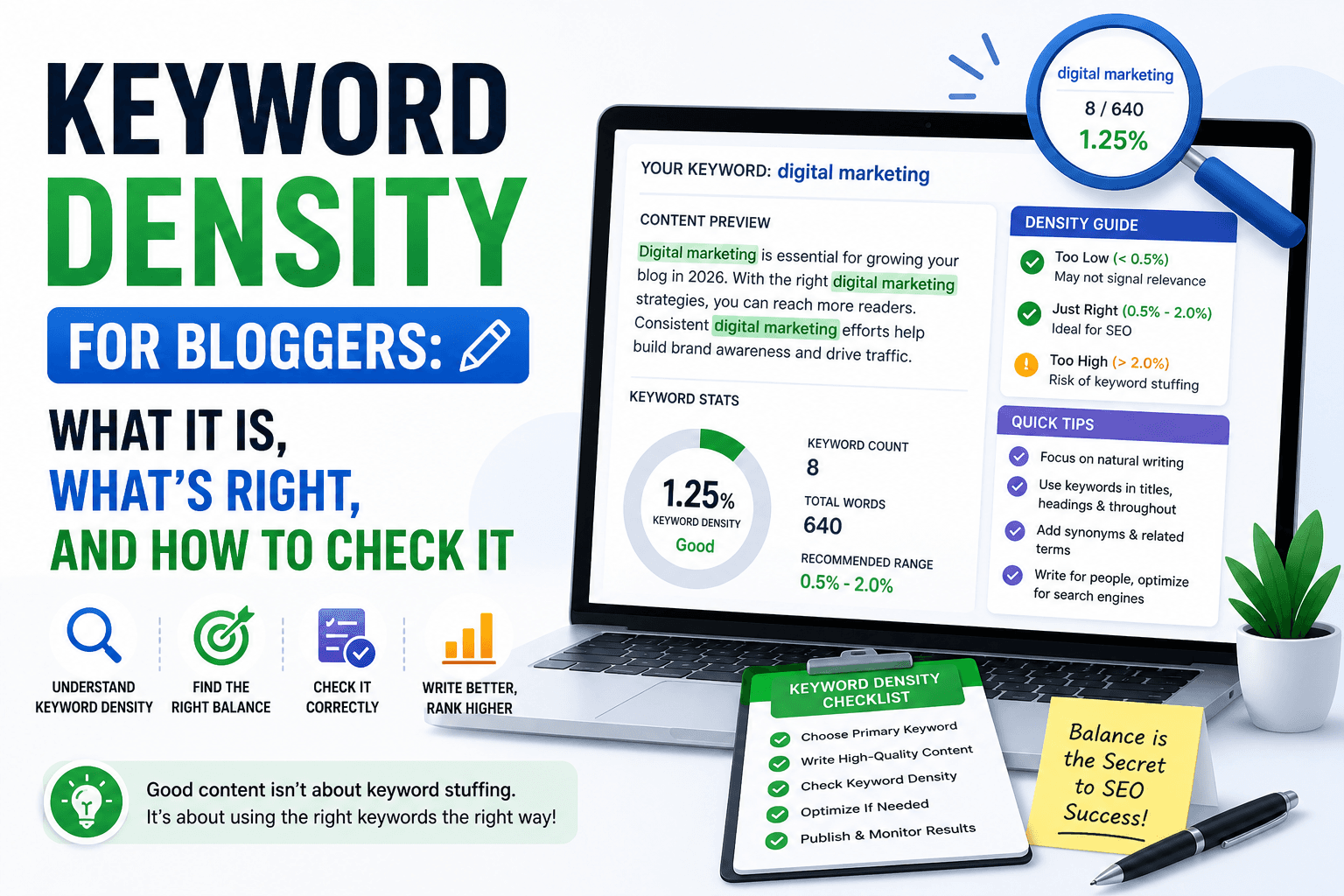
Check keyword density, Use the keyword density tool to verify your primary keyword appears at a natural frequency (typically 0.5%–1.5% for most topics). Under 0.5% and the page may not be signalling relevance clearly. Over 2% and it starts to look like stuffing.
-
Audit the title and meta description, Your title tag should include the primary keyword, ideally front-loaded. Your meta description should include the keyword and a clear reason to click. Use the character counter to verify your title stays under 60 characters and your description under 155, the Google SERP truncation limits.
-
Check the H1 and heading structure, Every page needs one H1 containing the primary keyword. Subheadings (H2, H3) should cover related semantic terms, not repeat the same phrase over and over.
-
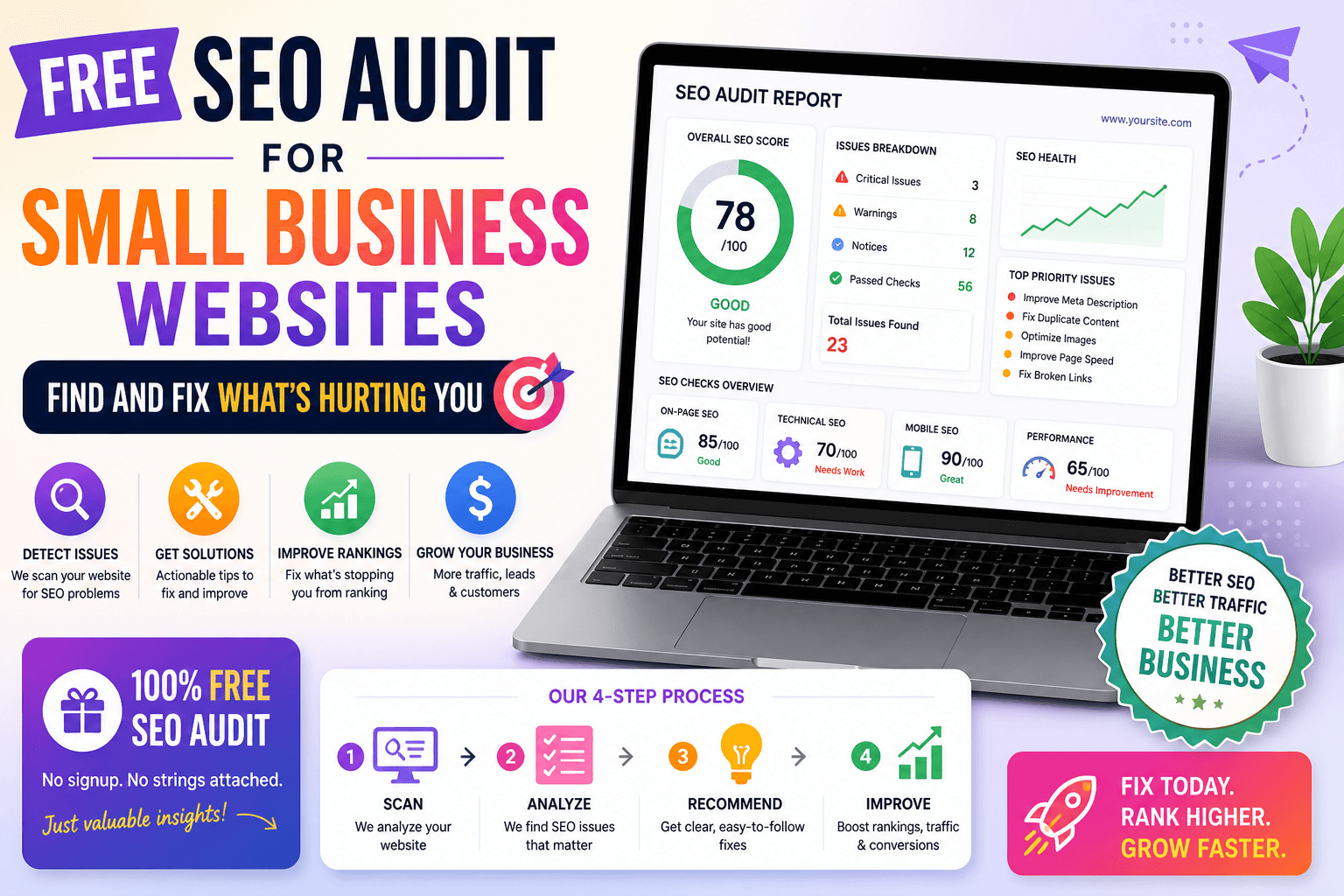
Run a full SEO audit, The ToolsNest SEO Audit Tool checks 18+ on-page factors including canonical tags, heading hierarchy, internal link count, image alt text, and meta data completeness, in about 10 seconds for any public URL.
Spot Cannibalisation
Search Google for site:yourdomain.com "your keyword". If more than one page shows up, you have a cannibalisation problem. Decide which page should own the keyword, update the other to target a different term, and add a clear internal link from the subordinate page to the primary one.
Keyword Mapping: From Research to Rankings
Keyword mapping is the practice of assigning specific keywords to specific pages before you write. It prevents cannibalisation, ensures every important keyword has a dedicated page, and makes your site architecture coherent for both users and crawlers.
A basic keyword map looks like this:
| Page URL | Primary Keyword | Secondary Keywords | Intent |
|---|---|---|---|
| /tools/keyword-density | keyword density checker | keyword density tool free, check keyword density | Transactional |
| /tools/seo-audit | free SEO audit tool | SEO checker, on-page SEO analysis | Transactional |
| /blog/keyword-research-guide-2026 | keyword research 2026 | how to do keyword research, free keyword research | Informational |
| /tools/meta-tag-generator | meta tag generator | open graph generator, title tag generator | Transactional |
Once you have this map, internal linking becomes straightforward. Every time you mention a topic in a blog post, you link to the page that owns that keyword. This distributes PageRank logically and tells Google which page is the authoritative source for each topic on your site.
For site structure, pair this with a proper XML sitemap and a correct robots.txt that doesn't accidentally block any of your important pages from being crawled.
Common Keyword Research Mistakes (And How to Fix Them)
Targeting keywords that are too broad too early. "Marketing tips" sounds attractive because it gets 50,000 searches a month. But the first page is Hubspot, Neil Patel, and Forbes. If your domain authority is under 30, you will not rank for this. Fix: target "content marketing tips for B2B SaaS startups" and build from there.
Ignoring search intent. Writing a 3,000-word guide for a keyword where everyone ranking is a product page. Or building a product page for an informational query. Google reads these mismatches clearly and ranks you accordingly. Fix: always check the actual SERPs before writing.
Keyword stuffing in 2026. Still happens. Inserting the same phrase 20 times in 800 words doesn't fool anyone. It reads poorly, Google ignores it, and it actively hurts rankings. Fix: write for humans, use semantic variations, let the keyword appear naturally.
Not updating old content. A keyword research guide written in 2022 is probably still ranking but slowly decaying. Fresh, updated content outranks stale content in nearly every competitive niche. Fix: set a calendar reminder to review and update high-traffic posts every 6–12 months. Use Google Search Console to track which posts are losing impressions.
Skipping the meta tags. You can write a perfect article and still lose clicks because the title and description in the SERPs are weak. Your title is your headline in the search results. Treat it that way. Fix: use a meta tag generator to craft titles and descriptions that include your keyword and give a clear reason to click.
Building a site with no keyword map. Pages competing with each other, topics scattered across five different posts, no clear ownership. Fix: spend two hours mapping every page in your site to a keyword before you write another word.
FAQ
What is keyword research and why does it matter for SEO? Keyword research is the process of identifying search terms your target audience uses to find information, products, or services online. It matters because choosing the right keywords determines whether your content gets found at all. Targeting the wrong terms, too competitive, wrong intent, or too low volume, means your content sits on page five where almost no one clicks.
How do I find low-competition keywords for free? Start with Google Search Console to see what you already rank for in positions 4–20, these are your quickest wins. Then use Google Autocomplete and "People Also Ask" boxes to find question-based long-tail variations. Cross-reference with free tools like Google Keyword Planner for volume estimates. Any keyword with monthly searches between 100–2,000 and KD under 30 is typically achievable for sites under DA 40.
What is keyword difficulty and how is it calculated? Keyword difficulty (KD) is a 0–100 score estimating how hard it is to rank on Google's first page for a given term. Most tools calculate it by analysing the number and quality of backlinks pointing to the current top-ranking pages. A KD of 0–20 is considered easy, 20–50 moderate, and 50+ difficult. Note that different tools weight their algorithms differently, so a KD 45 on Ahrefs isn't equivalent to a KD 45 on Semrush.
How many keywords should I target per page? One primary keyword and 5–10 semantically related secondary keywords. The primary keyword should appear in your title tag, H1, first paragraph, and naturally throughout the content. Secondary keywords should appear in subheadings and body copy where they naturally fit. Never force keywords, a well-structured, comprehensive piece will naturally include all relevant semantic variants.
What is the difference between short-tail and long-tail keywords? Short-tail keywords are broad, 1–2 word phrases like "SEO tools" or "keyword research." They have high search volume but fierce competition. Long-tail keywords are more specific phrases of 3–6+ words like "free keyword research tools for beginners." They have lower individual volume but far less competition, more specific intent, and often higher conversion rates. For most sites, a long-tail-first strategy produces faster results.
How often should I do keyword research? At minimum, revisit your keyword strategy every quarter. Run a Search Console audit monthly to catch declining keywords before they fall off page one. Do a full competitive analysis whenever you launch a new content category or expand into a new topic area. Keywords shift, what worked 18 months ago may be less relevant now, and new opportunities emerge constantly.
Can I do keyword research without paid tools? Yes. Google Search Console, Google Keyword Planner, and Google Autocomplete give you solid volume and ranking data for free. Pair these with ToolsNest's keyword density checker to audit how well your existing pages use their target keywords, and the SEO audit tool to catch on-page issues. For most early-to-mid-stage sites, this free stack covers 90% of practical keyword research needs.
The Bottom Line
Keyword research isn't glamorous, but it's the highest-leverage SEO activity most site owners consistently underinvest in. Getting it right means your content reaches people who are actively looking for what you offer, getting it wrong means writing into a void.
The practical path in 2026: start with what you already have (Search Console data), expand with long-tail research (Autocomplete + PAA), qualify ruthlessly (volume, difficulty, intent), map keywords to pages (prevent cannibalisation), and audit regularly (Search Console + keyword density checker).
The sites that rank consistently aren't the ones with the biggest budgets. They're the ones that understand what their audience is searching for and systematically build the best answer for each query.
Run a free on-page SEO audit on any page at ToolsNest SEO Audit Tool. No signup, no limits.