Last Updated: April 2026 | Category: AI Tools | By Marcus Reid
Table of Contents
- Introduction
- Best AI Tools for Productivity in 2026
- Top 10 AI Tools Reviewed
- Comparison Table: All Tools at a Glance
- Free vs Paid AI Tools
- AI Tools for Business
- AI Tools for Developers
- AI Tools for Students
- How to Choose the Right AI Tool
- Which AI Tool is Best for You?
- Final Verdict
- FAQ
Introduction
AI has stopped being a nice-to-have. In 2026, it's infrastructure, the same way email and search engines are. The question is no longer whether to use AI tools, but which ones are actually worth your time and money.
We've tested dozens of platforms so you don't have to. This guide covers the best AI tools in 2026 across writing, coding, research, image generation, and automation, including which ones are free, which are worth paying for, and which use cases each one dominates.
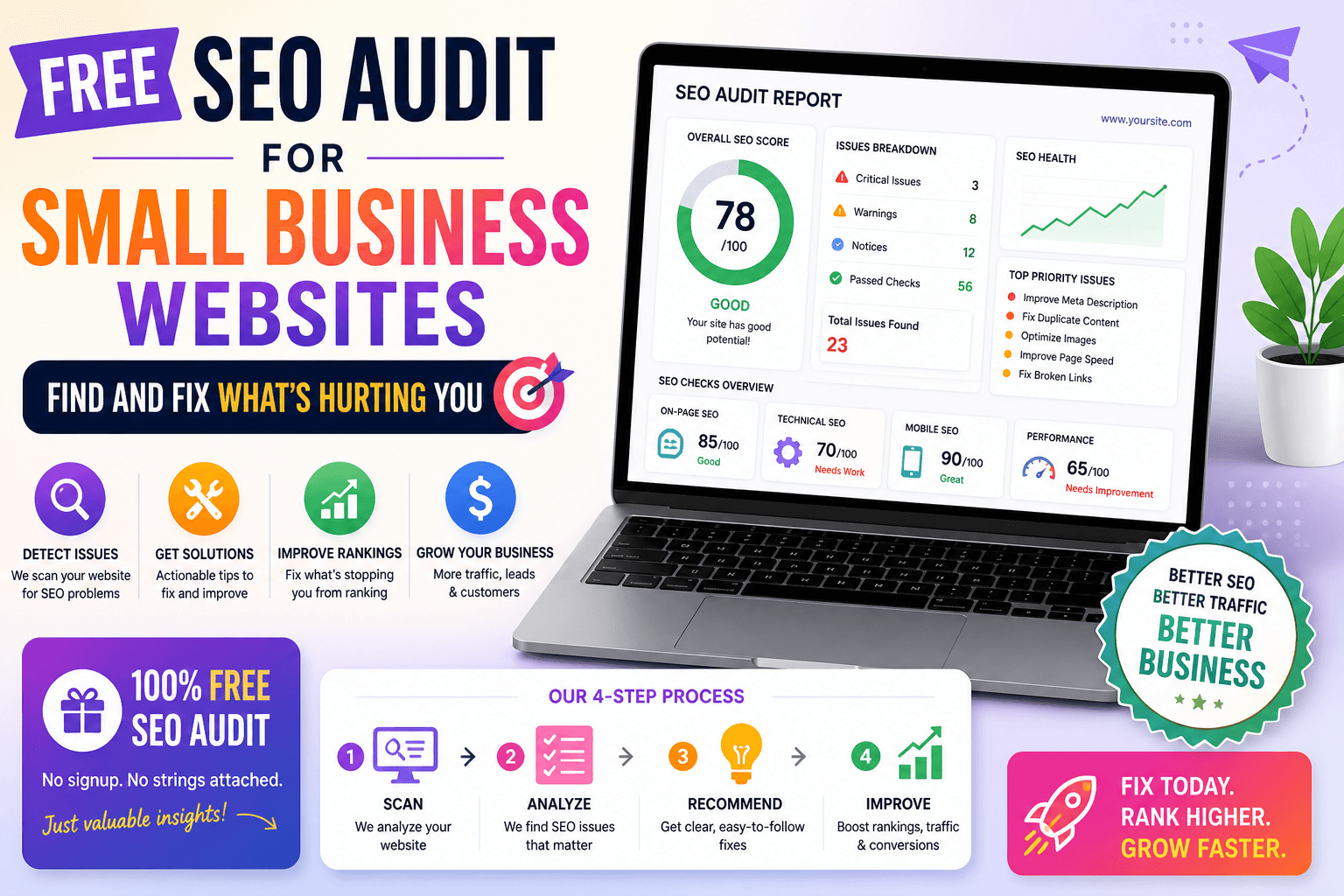
Want to get the most out of these tools? Make sure your website is optimized too. Use our free SEO Audit Tool to check how your site ranks right now.
Best AI Tools for Productivity in 2026
Productivity is where AI tools have had the most measurable impact. Whether you're managing a content calendar, writing code, or processing research documents, the right AI tool can cut hours off your workweek. Below are the platforms that consistently deliver in real-world workflows, not just demos.
Top 10 AI Tools Reviewed
1. Claude (Anthropic)
Claude is one of the most capable AI tools available in 2026, particularly for professionals who deal with dense or complex information daily. With a 200,000-token context window, you can feed it entire legal contracts, research papers, or codebases and get intelligent, nuanced responses.
What sets Claude apart is its reasoning quality. It doesn't just answer, it explains, hedges appropriately, and flags uncertainty. For long-form writing, document summarization, and analytical tasks, it's arguably the best AI tool right now.
- Best for: Long-form writing, document analysis, reasoning
- Pricing: Free tier available; Pro at $20/month
- Category: General-purpose / Writing / Analysis
2. ChatGPT (OpenAI)
ChatGPT remains the most widely recognized AI tool, and for good reason. It handles a broader range of input types than most competitors: text, images, audio, code, and real-time web data. The GPT-4o model that powers it is fast, multimodal, and deeply capable.
For general-purpose use cases, ChatGPT is still the most versatile option available. The free tier is genuinely useful, which keeps it the go-to for anyone just getting started with AI.
- Best for: General-purpose tasks, multimodal inputs, real-time browsing
- Pricing: Free tier; Plus at $20/month
- Category: General-purpose
3. Gemini Ultra (Google DeepMind)
Google's Gemini Ultra shines in two specific scenarios: multimodal tasks and anything that lives inside Google Workspace. With a 1-million-token context window, the largest of any mainstream AI tool, it can process entire books, large datasets, or hours of video transcripts.
If you're already embedded in Gmail, Docs, or Drive, Gemini's native integration makes it the most convenient AI upgrade you can add to your existing workflow.
- Best for: Google Workspace users, multimodal analysis, large document processing
- Pricing: Free via Google One AI Premium ($19.99/month)
- Category: General-purpose / Productivity
4. Perplexity AI
Perplexity is what happens when you rebuild search from scratch with AI at the center. Instead of a list of links, you get a synthesized answer with cited sources you can verify. For researchers, journalists, and students, this is a significant upgrade over traditional search.
It's one of the best free AI tools available right now, with a Pro tier that adds GPT-4 and Claude models into the mix.
- Best for: Research, fact-checking, cited answers
- Pricing: Free; Pro at $20/month
- Category: Research / Search
5. GitHub Copilot
For developers, GitHub Copilot is the most practical AI tool available. Studies cited by GitHub suggest productivity gains of 20–40% for developers who use it regularly, and that tracks with real-world feedback from engineering teams.
The newer Workspace features extend Copilot beyond autocomplete into full codebase reasoning: planning features, generating diffs, and executing changes across multiple files.
- Best for: Developers, code completion, refactoring, debugging
- Pricing: Free for verified students; $10/month individual
- Category: Developer Tools
See what GitHub Copilot can do
6. Midjourney
Midjourney is still the gold standard for AI image generation. The quality ceiling is higher than competitors, the community is large, and the web interface (finally!) makes it far more accessible than it used to be. Character consistency and editing tools added in 2025 have made it viable for commercial creative work.
- Best for: Creative professionals, brand imagery, concept art
- Pricing: Basic from $10/month
- Category: Image Generation
7. Runway ML
Runway is where AI video generation has matured. You can generate 10-second clips from text prompts, apply style transfers, use motion control, and edit existing footage, all from a browser. For video producers and social media teams, this is a legitimate production tool, not just a toy.
- Best for: Video creators, marketing teams, social content
- Pricing: Free tier (limited); Standard from $15/month
- Category: Video Generation
8. Notion AI
Notion AI earns its place not by being the most powerful AI, but by being the most integrated one. If your team already lives in Notion, the Q&A feature alone, which searches across your entire workspace and returns grounded answers, is worth the add-on cost.
It's one of the best AI tools for business teams that need knowledge management without switching platforms.
- Best for: Teams, knowledge management, document automation
- Pricing: Add-on at $10/member/month (Notion subscription required)
- Category: Productivity / Business
9. ElevenLabs
ElevenLabs has become the default for anyone who needs high-quality AI voice. With 5,000+ voices across 29 languages and voice cloning that's accurate enough for professional use, it's the tool of choice for podcasters, audiobook producers, and e-learning creators.
- Best for: Voiceover, podcasts, e-learning, accessibility
- Pricing: Free tier (10,000 characters/month); Starter at $5/month
- Category: Audio / Text-to-Speech
10. Zapier AI
Zapier AI sits at the intersection of automation and intelligence. It lets you build workflows that chain AI reasoning with real business systems, CRMs, email platforms, project management tools, and more. For operations teams and founders who want AI embedded in their processes without writing code, this is the right tool.
- Best for: Business automation, operations, non-technical teams
- Pricing: Free tier available; paid plans from $19.99/month
- Category: Automation / Business
Mid-Content CTA: Not sure how to optimize your content around these tools? Check our On-Page SEO Checklist for 2026, it covers everything you need to rank content in the AI search era.
Comparison Table
| Tool | Best For | Pricing | Category |
|---|---|---|---|
| Claude | Writing, reasoning, document analysis | Free / $20/month | General-purpose |
| ChatGPT | Versatile tasks, multimodal inputs | Free / $20/month | General-purpose |
| Gemini Ultra | Google Workspace, large contexts | Free / $19.99/month | General-purpose |
| Perplexity AI | Research, cited answers | Free / $20/month | Research / Search |
| GitHub Copilot | Code completion, developer workflows | Free (students) / $10/month | Developer Tools |
| Midjourney | Image generation, creative work | From $10/month | Image Generation |
| Runway ML | Video generation, social content | Free / From $15/month | Video Generation |
| Notion AI | Team knowledge management | $10/member/month (add-on) | Productivity |
| ElevenLabs | Voiceover, audio production | Free / From $5/month | Audio / TTS |
| Zapier AI | Business automation, workflows | Free / From $19.99/month | Automation |
Free vs Paid AI Tools
A lot of the best AI tools in 2026 offer genuinely useful free tiers. Here's how to think about the split:
Free tiers worth using:
- Perplexity AI, The free version gives you real research capability without a paywall
- ChatGPT, GPT-4o access is available on the free tier with usage limits
- ElevenLabs, 10,000 characters/month covers most casual voiceover needs
- Claude, Free tier is capable for everyday writing and analysis tasks
Where paid tiers earn their cost:
- GitHub Copilot at $10/month pays for itself in hours saved if you write code daily
- Midjourney is only available via paid subscription, no meaningful free tier
- Runway ML, the free tier is limited; Pro is needed for serious video work
The honest answer: start free, identify where you're hitting limits, then pay selectively. Most teams don't need to pay for more than two or three tools at once.
AI Tools for Business
The highest-ROI business applications in 2026 are:
- Content at scale, Claude and ChatGPT for blog posts, emails, reports
- Customer communication, Zapier AI for automated, intelligent responses
- Knowledge management, Notion AI for team wikis and onboarding docs
- Creative production, Midjourney and Runway for marketing assets
If you're evaluating AI tools for business, the key question is: where does your team spend the most time on repeatable, text-based tasks? Start there.
AI Tools for Developers
The developer AI stack in 2026 typically looks like this:
- GitHub Copilot, for in-editor code completion and refactoring
- Claude or ChatGPT, for architecture discussions, debugging, and documentation
- Perplexity AI, for quick technical research with sources
GitHub Copilot is non-negotiable if you write code professionally. The others are personal preference depending on which LLM's reasoning style you find most useful.
For more on how technical SEO intersects with developer workflows, see our Technical SEO Audit Guide.
AI Tools for Students
Students get a meaningful edge from AI tools when they use them for learning acceleration rather than shortcut-taking:
- Perplexity AI, Research starting points with real citations
- Claude, Explaining complex topics, summarizing papers, essay feedback
- ChatGPT, Practice problems, concept explanations, study guides
- ElevenLabs, Converting lecture notes to audio for commute revision
- GitHub Copilot, Free for verified students via GitHub Education
How to Choose the Right AI Tool
With so many options, the framework matters more than the list. Here's how to cut through the noise:
1. Start with your primary use case. Are you writing, coding, researching, generating visuals, or automating workflows? Each category has a clear leader (or two). Don't try to find one tool that does everything well.
2. Check what's actually free. Before paying, use free tiers to validate that a tool fits your workflow. Most have meaningful free access.
3. Evaluate context length if you work with long documents. If you're processing contracts, research papers, or codebases, context window size matters. Claude and Gemini lead here.
4. Consider where you already work. If you live in Google Workspace, Gemini is the natural fit. If your team runs on Notion, Notion AI adds value without migration.
5. Don't use ten tools. Pick two or three. Tool sprawl is a real productivity killer. Most professionals get 80% of the value from two well-chosen tools used deeply.
Which AI Tool is Best for You?
- Writers and content creators → Claude + ChatGPT
- Researchers and journalists → Perplexity AI + Claude
- Developers → GitHub Copilot + Claude
- Marketing and design teams → Midjourney + Runway ML + ChatGPT
- Business and operations teams → Zapier AI + Notion AI
- Students → Perplexity AI + Claude (both have free tiers)
- Podcasters and audio creators → ElevenLabs
Final Verdict
The best AI tools in 2026 aren't the flashiest ones, they're the ones that integrate into how you already work and reliably save you time. Claude is our top pick for reasoning and writing quality. ChatGPT remains the most versatile. GitHub Copilot is a must for developers. And Perplexity AI is the best free research tool available.
Don't try to use all ten. Pick the two that match your actual workflow and use them properly. That's where the real productivity gains come from.
Ready to sharpen your site's SEO alongside your AI toolkit? Run a free check with our SEO Audit Tool, no signup required.
About the Author
Marcus Reid is a digital strategist with 10+ years of experience in AI tool evaluation, SEO, and web development. He has consulted for SaaS companies, content agencies, and growth-stage startups on integrating AI into their workflows. Marcus writes at ToolsNest to help teams make smarter decisions about the tools they use daily.
FAQ
What is the best AI tool in 2026?
There's no single answer, it depends on your use case. For writing and reasoning, Claude is the top pick. For general-purpose versatility, ChatGPT leads. For coding, GitHub Copilot is the industry standard. For research, Perplexity AI offers cited, synthesized answers that outperform traditional search.
Which AI tools are free?
Several of the best AI tools in 2026 offer capable free tiers: ChatGPT (GPT-4o with limits), Claude (free tier for everyday tasks), Perplexity AI (full research features), ElevenLabs (10,000 characters/month), and GitHub Copilot (free for verified students). Most tools follow a freemium model, free to start, paid for heavier usage.
Is ChatGPT better than Claude?
It depends on the task. ChatGPT is stronger for multimodal tasks (images, audio, real-time browsing) and general versatility. Claude tends to produce higher-quality long-form writing, handles larger documents more reliably, and often reasons through complex problems with more nuance. Many power users maintain accounts with both.
Which AI tool is best for coding?
GitHub Copilot is the leading AI tool for coding in 2026, with in-editor integration, autocomplete, and workspace-level reasoning. Claude and ChatGPT are strong complements for architecture discussions, debugging, and code documentation, but for line-by-line coding assistance, Copilot has no real competitor.
ToolsNest is not sponsored by any of the tools reviewed in this article. All assessments are based on independent testing and public information.